|
|
OpenSource Handheld News - Gp2X, Dingoo, Wiz, Pandora, GCW Zero and Caanoo is a News and downloads site for Open Source Handhelds, We have all the latest emulators, hack, homebrew, commercial games and all the downloads on this site, the latest homebrew and releases, Part of the
DCEmu Homebrew & Gaming Network.
THE LATEST NEWS BELOW
|
October 8th, 2020, 23:14 Posted By: PSPReview
Newly released for the Pandora Console
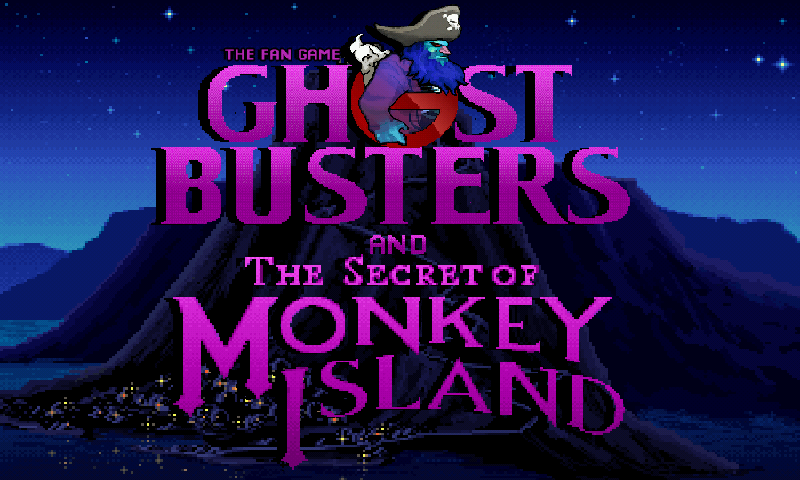
Celebrating 30 years of the Secret of Monkey IslandDaniele Spadoni Presents:Ghostbusters and the Secret of Monkey Island : The Fan GameBased on characters of Lucasfilm Games "Monkey Island" created by Ron Gilbert and Columbia Pictures movie "Ghostbusters"Cross the sword... don't cross the streams!--------------------------------------A Daniele Spadoni Production--------------------------------F7 - Restore gameF5 - Save gameF9 - Quit gamehttps://danielespadoni82.blogspot.com/-----------------------------------------The following game is a NON PROFIT Fan Game producer for entertainment purpose only.All Characters, all related marks, logos and associated names and reference are copyright and trademark of their respective holders. This Fan Production is not open to commercial ADS. It is not intended for sales of any sort. No commercial exhibition or distribution is permitted. The content of this Fan Game could not be sold, rented or used for any commercial enterprise in any way, shape or form. There is no financial gain made from it.-------------------------------This game is created with AGS (Adventure Game Studio), and is packaged with AGS 3.5.0.24 recompiled for Pandora.The game run using GL4ES library by ptitSeb
Download Here
To read more of the post and Download, click here!
 Join In and Discuss Here Join In and Discuss Here
Submit News and Releases Here and Contact Us for Reviews and Advertising Here |
|
 |
|
|
|
September 26th, 2020, 13:52 Posted By: PSPReview
Newly released for the Pandora Console
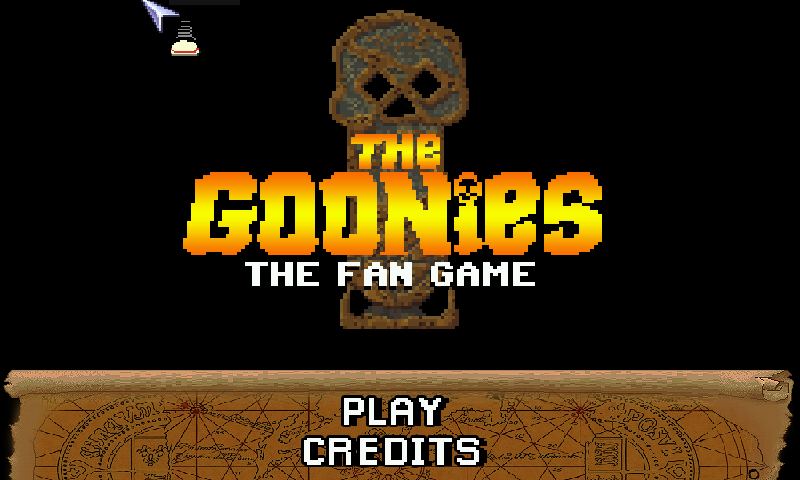
THE GOONIES - THE FAN GAMEhttps://danielespadoni82.blogspot.com/Plot:Facing foreclosure of their homes in the Goon Docks area of Astoria, Oregon to an expanding country club, a group of children who call themselves "the Goonies" gather for a final weekend together. The Goonies include optimist Mikey Walsh, his older brother Brandon, the inventive Data, the talkative Mouth, and the overweight klutz Chunk.Rummaging through the Walshes' attic, they come across a 1632 doubloon and an old treasure map purporting to lead to the famous pirate "One-Eyed" Willy's hoard located somewhere nearby, whom Mikey considers being the original "Goonie".--------------------------------------A Daniele Spadoni Production--------------------------------F7 - Restore gameF5 - Save gameF9 - Quit game-----------------------------------------The following game is a NON PROFIT Fan Game producer for entertainment purpose only.All Characters, all related marks, logos and associated names and reference are copyright and trademark of their respective holders. This Fan Production is not open to commercial ADS. It is not intended for sales of any sort. No commercial exhibition or distribution is permitted. The content of this Fan Game could not be sold, rented or used for any commercial enterprise in any way, shape or form. There is no financial gain made from it.-------------------------------This game is created with AGS (Adventure Game Studio), and is packaged with AGS 3.5.0.24 recompiled for Pandora.The game run using GL4ES library by ptitSeb
Download Here
To read more of the post and Download, click here!
Join In and Discuss Here
Submit News and Releases Here and Contact Us for Reviews and Advertising Here |
|
|
|
|
|
September 16th, 2020, 22:31 Posted By: PSPReview
Newly released for the Pandora Console
A game for the LowRezJam.Explore the hidden labyrinth beneath your desktop and find the mystical crown, but beware... you might not be alone!The orginal 64x64 version of this game is impossible to play on the small pandora screen hence it is completely changed.Find the crown, avoid the Minotaur and head back to the stairs. Use the nubs or the touchscreen to look around the map.Double tapping in any direction makes you run for a short time.On each further map new enemies are added.There are two game modes, the small 1000x1000 map focuses on avoiding the enemies, the 2000x2000 is big enough to give a challenging maze to solve.Credits:Concept and Design: pmprog and Elw3Code: Elw3Graphics: pmprogMusic and SoundFX: FBnil
Download Here
To read more of the post and Download, click here!
Join In and Discuss Here
Submit News and Releases Here and Contact Us for Reviews and Advertising Here |
|
|
|
|
|
September 13th, 2020, 14:33 Posted By: PSPReview
Newly released for the Pandora Console
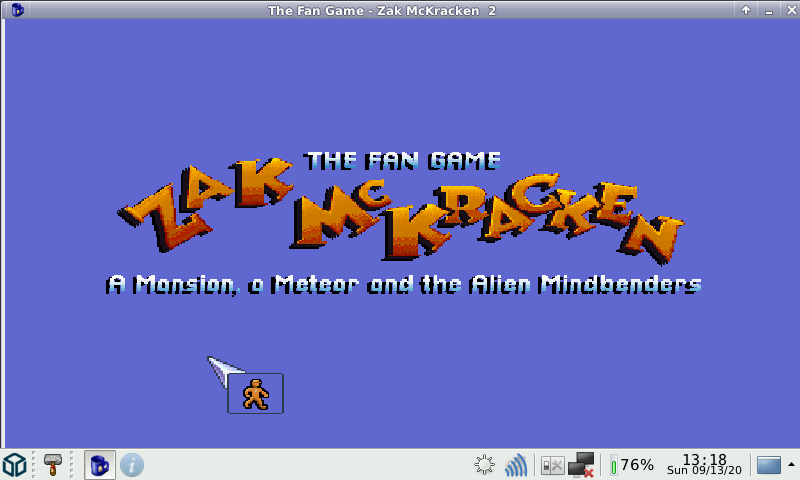
Zak McKracken the fan game -Based on characters created by David Fox and Matthew Alan Kane- The Fan Game - Zak McKracken : A Mansion, a Meteor and the Alien MindbendersPlot:A few years after the events of Zak, he is rich. He owns The National Inquisitor and enjoys his work.But a new Caponian menace is arriving...this time, Zak will need to go back and forth through space AND time!--------------------------------------A Daniele Spadoni Production--------------------------------F7 - Restore gameF5 - Save gameF9 - Quit gameThere will be a game inside the game. A tough game! If you feel you can't succeed, there is a cheat code. Press F11 to enter the code and win the game. -- Hint: the cheat code is the most famous word in Zak McKracken game.-----------------------------------------The following game is a NON PROFIT Fan Game producer for entertainment purpose only.All Characters, all related marks, logos and associated names and reference are copyright and trademark of their respective holders. This Fan Production is not open to commercial ADS. It is not intended for sales of any sort. No commercial exhibition or distribution is permitted. The content of this Fan Game could not be sold, rented or used for any commercial enterprise in any way, shape or form. There is no financial gain made from it.-------------------------------This game is created with AGS (Adventure Game Studio), and is packaged with AGS 3.5.0.24 recompiled for Pandora.
Download Here
To read more of the post and Download, click here!
Join In and Discuss Here
Submit News and Releases Here and Contact Us for Reviews and Advertising Here |
|
|
|
|
|
June 30th, 2020, 20:04 Posted By: wraggster
Orkie still dives into GP2x development, which is a great thing. He recently contacted us to let us know about Open2x Bootloader. It’s an alternative bootloader for GP2X. Requires Orcus and DevkitARM to compile. ‘make’ will generate a gp2xboot.img file which can be flashed with the GPH u-boot. The bootloader has a simple command line interface accessible via UART – type ‘help’ to see the list of commands
The first release related to Open2x in 11 years (the Linux firmware hasn’t really changed).
https://pdroms.de/gameparkholdings-g...v1-0-gp2x-misc
To read more of the post and Download, click here!
Join In and Discuss Here
Submit News and Releases Here and Contact Us for Reviews and Advertising Here |
|
|
|
|
|
June 17th, 2020, 22:36 Posted By: PSPReview
Newly released for the Pandora Console

Cute? Check.Pink? Check.Painfull? Check.Avoid the finger, listen to metal. What else does a game need?You can dash up, down and if doing booth together, forward. Easy, right? No. You will die. This game is too hard for you. Just dont play it.(all tracks have been sanity checked and are in fact beatable)
Download Here
To read more of the post and Download, click here!
Join In and Discuss Here
Submit News and Releases Here and Contact Us for Reviews and Advertising Here |
|
|
|
|
|
May 2nd, 2020, 09:26 Posted By: PSPReview
Newly released for the Pandora Console
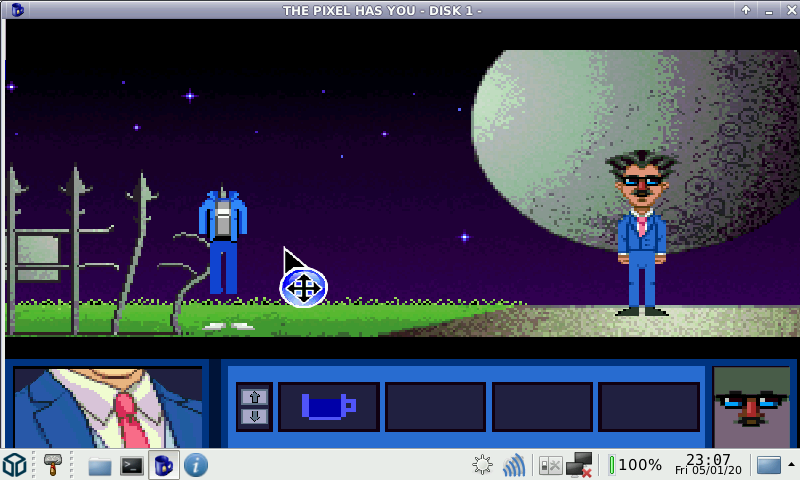
THE PIXEL HAS YOU - DISK1 -A Daniele Spadoni ProductionPixel Artist - Davide Spadonihttps://danielespadoni82.blogspot.com/PLOT :Virus C9 has deleted the protagonists and antagonists the dimensions 87, 88 , and 90.Phoenix must recover the codes of all dimensions in order to allow Lucas to make an antivirus.F7 - Restore gameF5 - Save gameF9 - Quit game-----------------------------------------------The following game is a NON PROFIT Fan Game producer for entertainment purpose only.All Characters, all related marks, logos and associated names and reference are copyright and trademark of their respective holders. This Fan Production is not open to commercial ADS. It is not intended for sales of any sort. No commercial exhibition or distribution is permitted. The content of this Fan Game could not be sold, rented or used for any commercial enterprise in any way, shape or form. There is no financial gain made from it.-------------------------------This game is created with AGS (Adventure Game Studio), and is packaged with AGS 3.5.0.24 recompiled for Pandora.
Download Here
To read more of the post and Download, click here!
Join In and Discuss Here
Submit News and Releases Here and Contact Us for Reviews and Advertising Here |
|
|
|
|
|
April 29th, 2020, 18:51 Posted By: PSPReview
Newly released for the Pandora Console
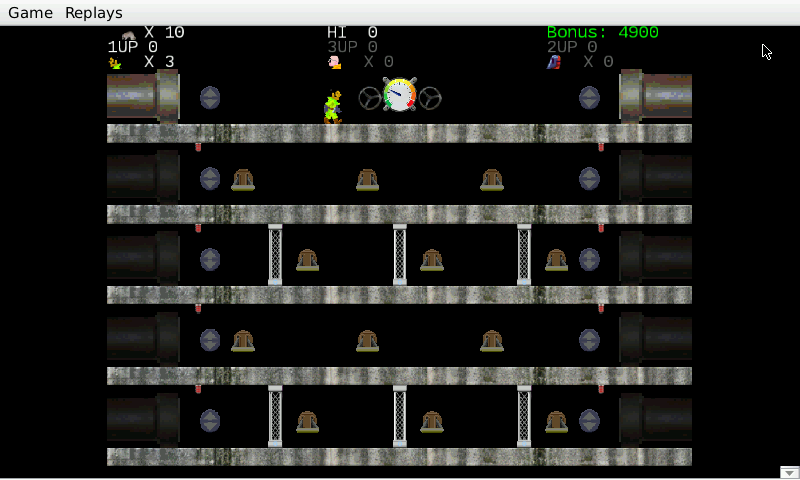
Ratcatcher is a simple arcade style game for three players, largely inspired by Mario Bros. and Taito's Zookeeper.Players attempt to navigate a five level sewer, manipulating gates and other devices in an attempt to catch rats while avoiding other hazards. Deadly alligators prowl the pipes, noxious sewer gas will choke you, and sparking ball lightning can cause the gates to malfunction! Mischievous sewer gremlins will manipulate the gates to foil your plans!Ratcatcher is available for all major PC platforms, Linux 32/64bit, Windows, Mac OS X, Haiku,and the game has even been ported to the Atari 5200 console.-------------------------------Pandora port run with the help of the GL4ES library by ptitSeb.
Download Here
To read more of the post and Download, click here!
Join In and Discuss Here
Submit News and Releases Here and Contact Us for Reviews and Advertising Here |
|
|
|
|
« prev
1
2
3
4
5
6
7
8
9
10
11
12
13
14
15
16
17
18
19
20
next » |
|
|